- 50
- Country

- Gender
- Male
 ENGLISH
 P1 Series Livery Guide: How to Use the Template
 To ensure all cars look perfect on stream and on the track, we've simplified the template for you.
 No more manually moving number plates, and no more series logos restricting your livery design.
 One P1 Template for all series – quick and easy to apply anywhere!
 Preparation: Open the file P1_Template_GT3_[Car]_2025.psd in Photoshop.
 Select your Series: Go to the Layers panel and open the folder "Numberplates"
 P1 Gaming. Inside, you'll find the series.
- Activate: Click the small box next to the name to toggle the Eye icon (
 ).
).
 Important: Only ONE series may be active! It should look like this (Example if you are racing in MCS):
  P1 GTS (OFF)
- P1 MCS (ON = Your Series)
- P1 24h (OFF)
- P1 LMS (OFF)
Eye ON: Series is visible (Number plates & stickers appear automatically in the correct position).All other eyes OFF: Make sure only one series is active at a time.
Step 2: Paint Your Design
 Do NOT move anything inside the P1 Gaming folder!
- Everything you paint (in the layers below) will automatically sit correctly underneath the stickers.
 Quick Check: Is the correct series (e.g., P1 MCS) checked?
 Save: Save your design as usual for LMU (as TGA).
 For the Pros among you: You can simply grab the P1 Gaming folder, drop it on top of your existing templates/designs, and select the series. Save, done!
Upload:
Go to P1MCS in the top navigation bar and click on "Livery Submission". You have to put all skin files into one archive e.g. zip or rar.
Deadline for Livery Submission and Car Change:
21.01.2026
The general rules of Le Mans Ultimate and RaceControl and P1-Gaming,e.V. apply.
Download P1 Templates GT3
Downloads P1 Template LMH
You can download and freely use our P1 logos here.
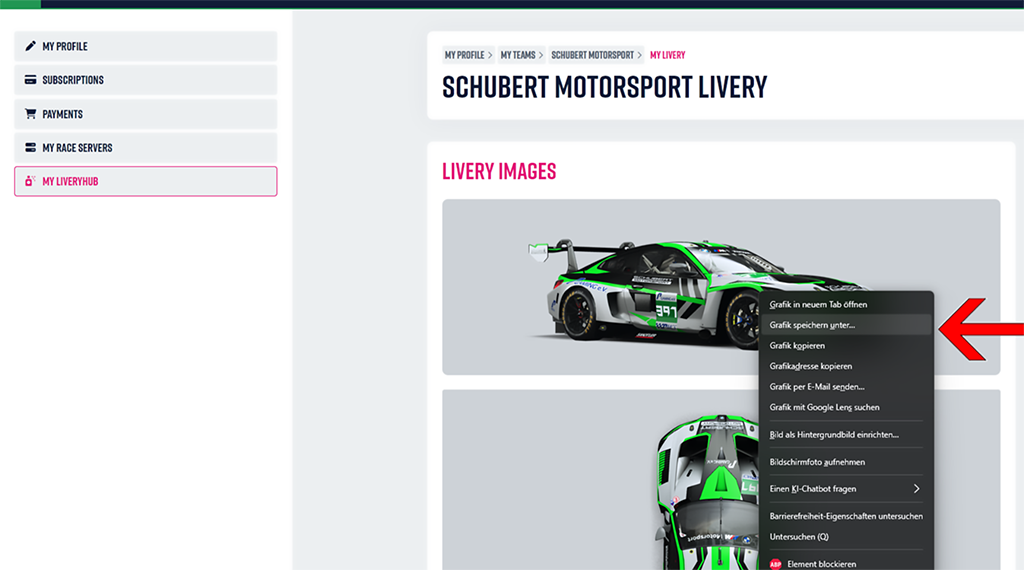
On RaceControl, you'll find your car under “My LiveryHub”.
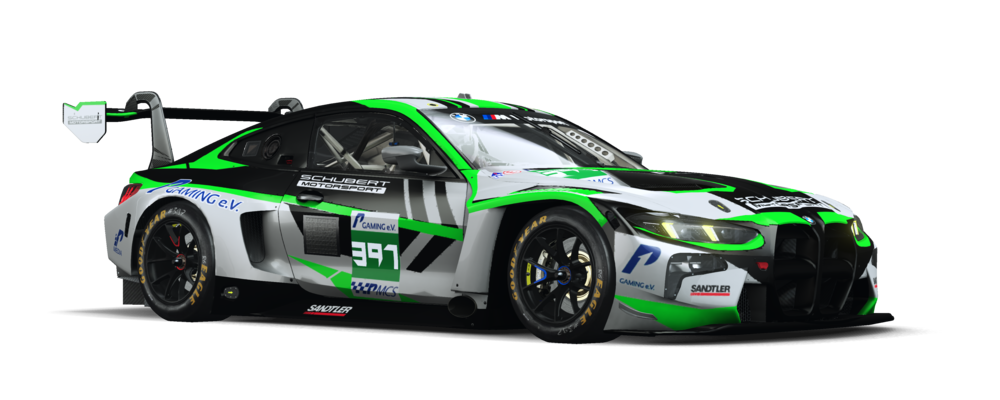
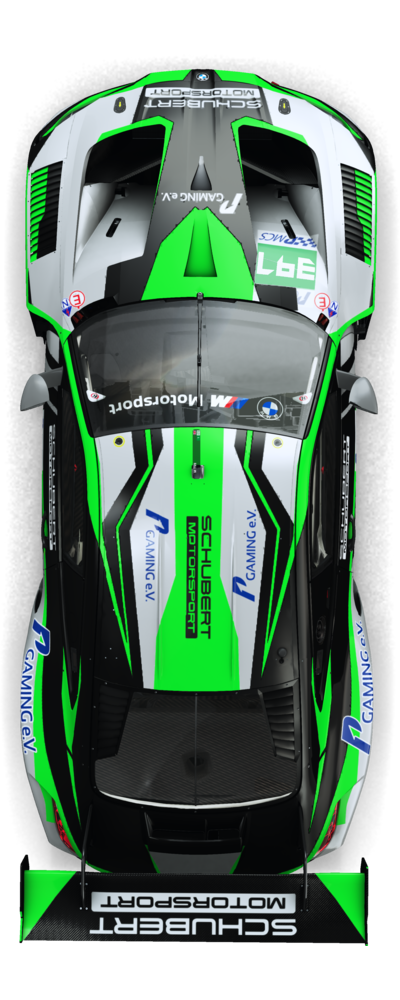
Please send us both images (side view, top view) of your livery. (Right-click, save, done)
To display your livery correctly on the website and Race Flyer, we need the following files from you:
- customskin.tga
- customskin_REGION.tga
- material.jpg (a screenshot of your material settings)
 DEUTSCH P1 Serien Livery-Guide: So nutzt du das Template richtig
- Damit alle Autos im Stream und auf der Strecke perfekt aussehen, haben wir das Template für euch vereinfacht.
- Ihr müsst keine Numbertemplates mehr manuell verschieben und habt keine Serien-Logos mehr, die euch in der Livery einschränken.
- Ein P1 Template für alle Serien – schnell und einfach überall angewendet!
- Vorbereitung: Öffne die Datei P1_Template_GT3_[Auto]_2025.psd in Photoshop.
- Wähle deine Serie: Gehe in das Ebenen-Fenster und öffne den Ordner "Numberplates"
- P1 Gaming. Darin findest du die Serien.
- Aktivieren: Klicke auf das kleine Kästchen vor dem Namen, um das Auge-Symbol () zu aktivieren.
Wichtig: Nur EINE Serie darf aktiv sein! So soll es aussehen (Beispiel, wenn du MCS fährst)- P1 GTS (AUS)
- P1 MCS (AN = Deine Serie)
- P1 24h (AUS)
- P1 LMS (AUS)
Auge an: Serie ist sichtbar (Numbertemplate & Sticker erscheinen automatisch an der richtigen Stelle).Alle anderen Augen aus: Stelle sicher, dass immer nur eine Serie gleichzeitig aktiv ist.
Schritt 2: Dein Design painten
- Nichts innerhalb des P1 Gaming-Ordners verschieben!
- Alles, was du malst (in den Ebenen darunter), liegt automatisch korrekt unter den Stickern.
- Prüfe kurz: Ist die richtige Serie (z. B. P1 MCS) angehakt?
- Speichere dein Design wie gewohnt für LMU (als TGA).
Für die Profis unter euch: Ihr könnt euch einfach den P1 Gaming Ordner schnappen,ihn über eure originalen Templates/Designs legen und die Serie wählen. Speichern, fertig!
Upload:
Geht auf P1MCS in der Navigation oben und klickt auf "Livery Submission". hier wird. zip oder rar hochgeladen.
Deadline für alles!
21.01.2026
Es gelten die Allgemeinen Regeln von Le Mans Ultimate and RaceControl und P1-Gaming,e.V.
Download P1 Templates GT3
Downloads P1 Template LMH
Gerne könnt ihr unsere P1 Serien Logos benutzen P1 logos
Auf RaceControl, findest du nun deine Livery unter “My LiveryHub”.
Bitte sende uns beide Bildr (Seitenansicht, Draufsicht) von deiner Livery. (rechts klick,speichern,fertig)
Damit deine livery richtig auf unserer website und Race Flyer zu sehen ist, brauchen wir folgene Daten von dir:
- customskin.tga
- customskin_REGION.tga
- material.jpg (ein screenshot von deinen Material Einstellungen)
Last edited: